1
Create a group
Give the group a descriptive name for a class, exam, team, family, or topic.
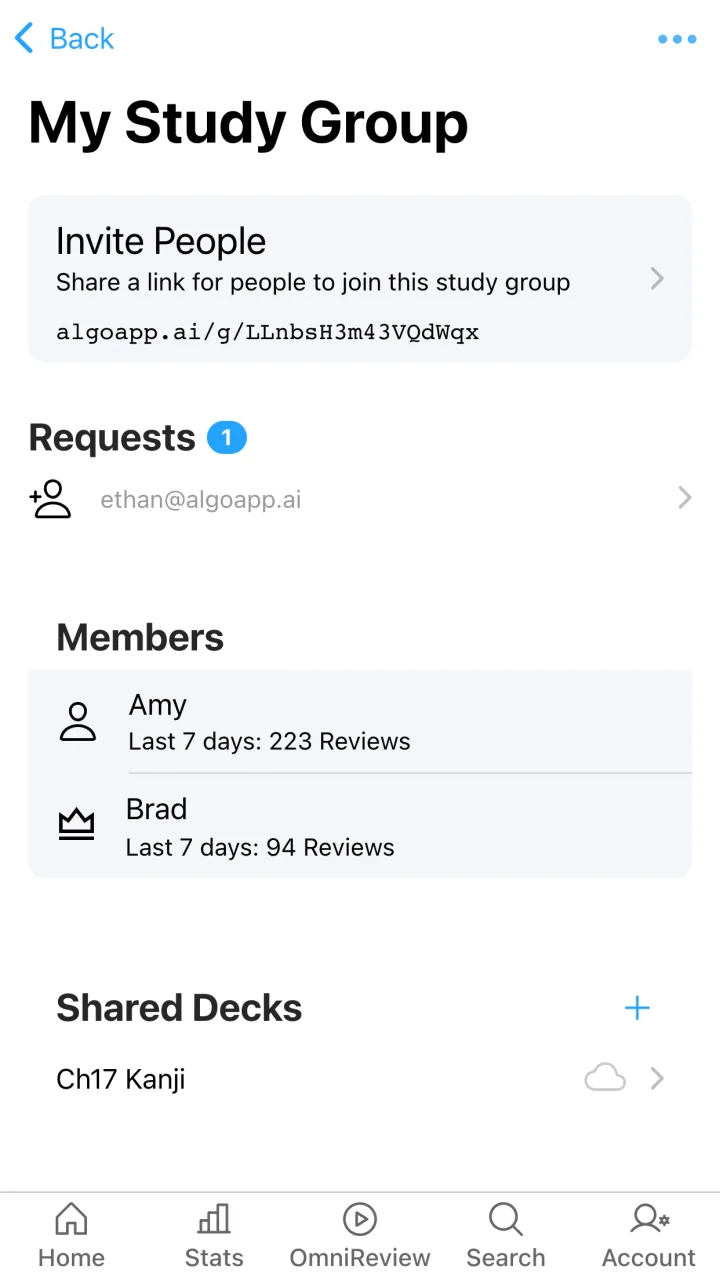
Create a group, invite people with a share link, and make useful decks or folders available to everyone who needs them.
Give the group a descriptive name for a class, exam, team, family, or topic.
Send the Study Group link by message, email, or wherever your group already talks.
Add your decks or folders so group members can access the content in AlgoApp.
Keep course decks together and let everyone study the same core material on their own schedule.
Share what each person creates instead of rebuilding the same deck several times.
Review requests to join and manage who belongs to the Study Group.
Study Groups make flashcard collections easier to distribute. Each member can bring shared decks into their own learning flow and review the material when it fits their schedule.
Add an individual deck for a specific unit or share a folder when several related decks belong together. Public decks and decks you own can be shared with a Study Group.
Each Study Group has a shareable invitation link. People can request to join, and the group can accept or reject those requests.
Study Groups are part of the same AlgoApp account experience used across mobile, desktop, and web.
Create a Study Group, share the link, and start learning from a common deck.